updateManyAndReturn()
Updates all rows matching the specified conditions and retrieves the updated records as an array.
Performs the same update operation as updateMany, but differs in the return value.
Available Keys
| Key | Description | Optional | Notes |
|---|---|---|---|
| where | Specifies update conditions | Optional | Targets all rows if omitted |
| data | Data to update | Required | |
| limit | Maximum number of records to update | Optional | Negative values cause an error |
Example Sheet
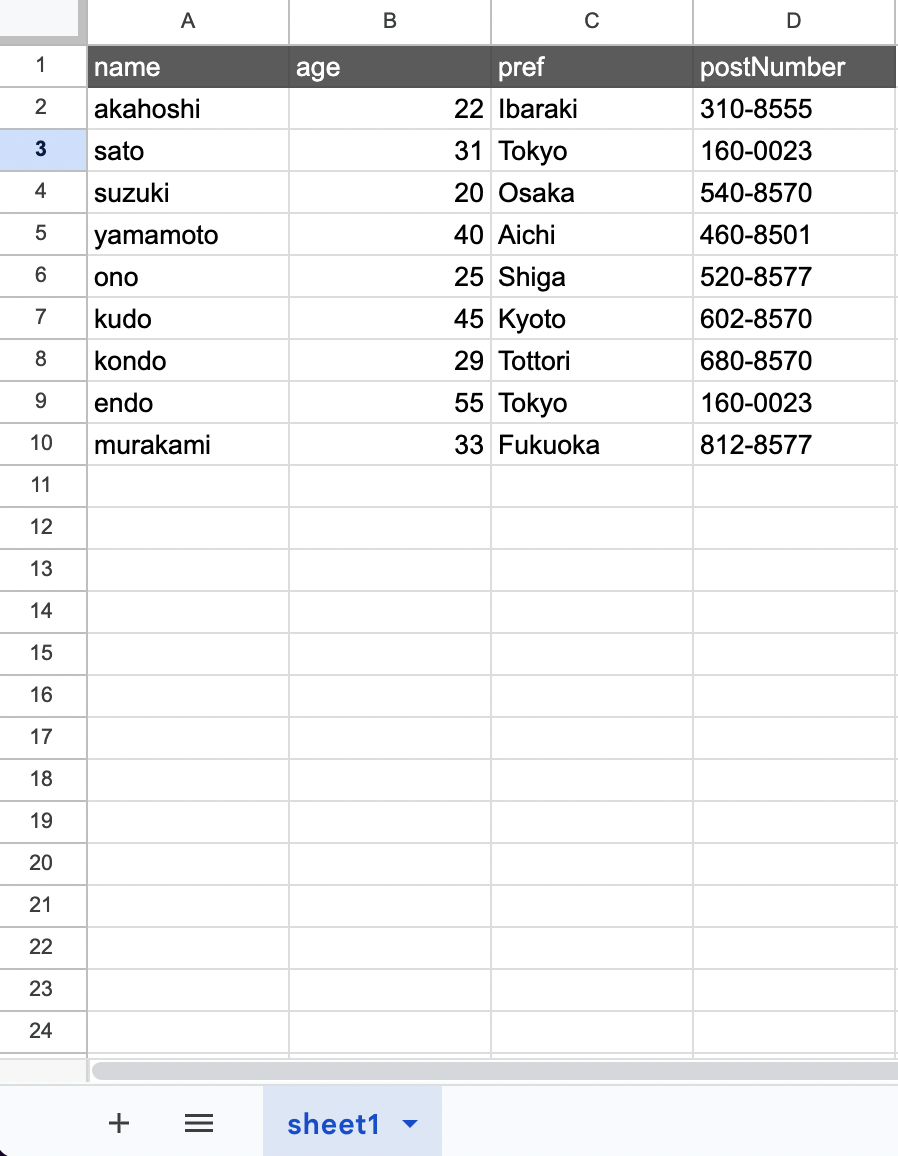
Description
Suppose you want to perform the following operation on the above example:
- Set the age of rows where pref is Tokyo to 99
The code would be:
const gassma = new Gassma.GassmaClient();

// gassma.{{TARGET_SHEET_NAME}}.updateManyAndReturn
const result = gassma.sheet1.updateManyAndReturn({
  where: {
    pref: "Tokyo",
  },
  data: {
    age: 99,
  },
});
The return value has the following format:
[
  { name: "sato", age: 99, pref: "Tokyo", postNumber: "160-0023" },
  { name: "endo", age: 99, pref: "Tokyo", postNumber: "160-0023" },
];
All updated records are returned as an array. Fields that were not updated retain their original values.
Differences from updateMany
| Method | Return Value |
|---|---|
updateMany | { count: number } |
updateManyAndReturn | Array of updated records |
An empty array is returned if no matching records are found:
const result = gassma.sheet1.updateManyAndReturn({
  where: { name: "nonexistent" },
  data: { age: 99 },
});
// => []
Omitting where targets all rows and returns all records:
const result = gassma.sheet1.updateManyAndReturn({
  data: { age: 99 },
});
// => All records returned with age: 99
The where specification follows findMany().
limit
You can specify the maximum number of records to update. For details, see updateMany().
Atomic Number Operations
You can specify increment / decrement / multiply / divide in data. For details, see update().